Introduction
I’ve spent years studying what separates a flat Roblox render from a GFX that actually reads as “anime style,” and it comes down to three specific technical choices, not luck.
If you’ve scrolled through dozens of Pinterest boards looking for roblox anime gfx inspiration but still don’t know how to recreate that look yourself, that gap ends here.
This guide breaks down 25 standout anime GFX ideas for 2026, then shows you the exact pose, lighting, and effect formula behind them — plus which tools actually fit your skill level.
1. What Actually Makes Roblox GFX Look “Anime”
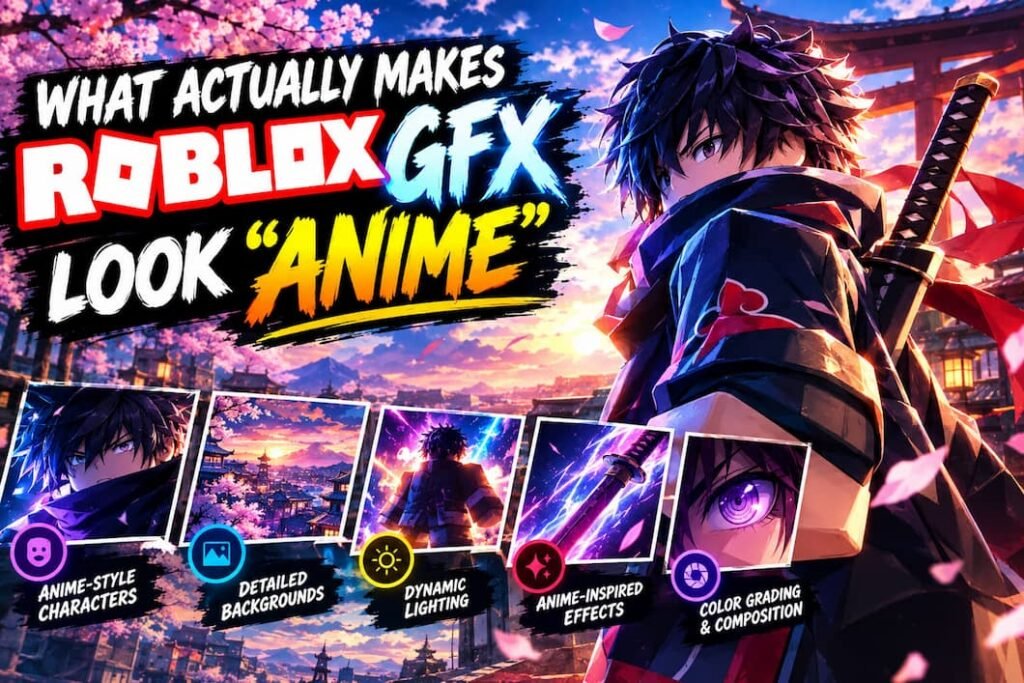
Anime-style Roblox GFX combines three elements: a dynamic, exaggerated pose, directional rim lighting that creates dramatic edge glow, and post-render effects like speed lines or chromatic aberration. Remove any one layer and the render reads as generic 3D instead of anime-inspired.
Most beginners assume anime style comes from the character model itself. It doesn’t — Roblox avatars are inherently blocky, so the anime feel comes entirely from posing, lighting, and post-effects layered on top.
This is why two creators using the identical avatar can produce completely different results: one flat and forgettable, one dramatic and shareable.
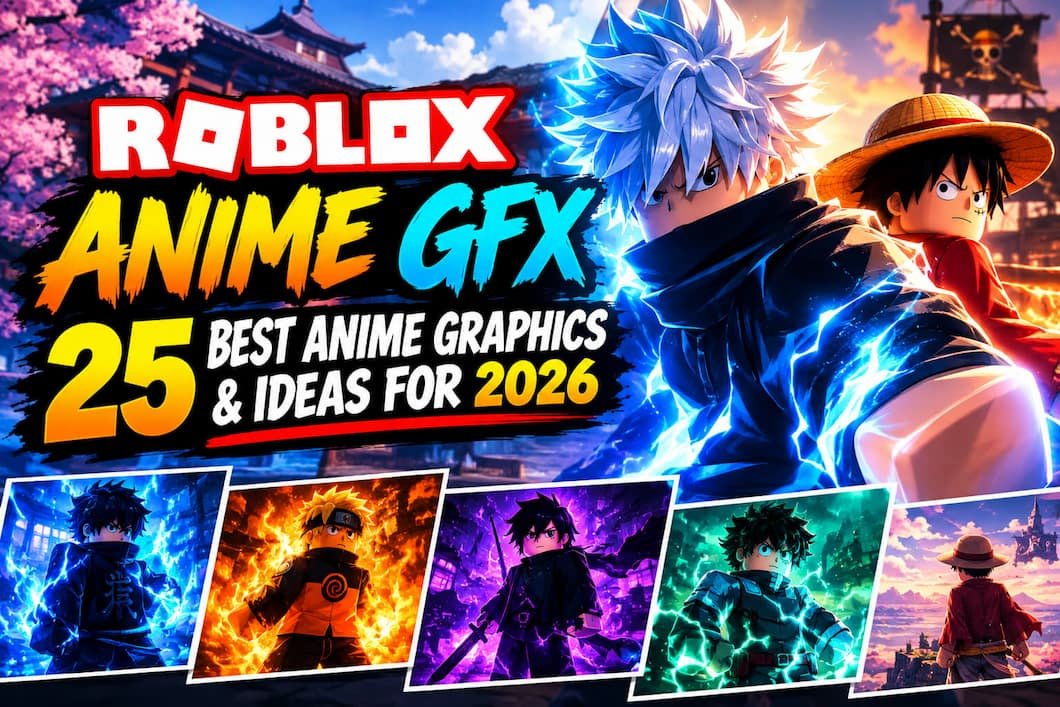
2. 25 Best Roblox Anime GFX Ideas for 2026
The strongest 2026 anime GFX trends include dynamic action freeze-frames, moody night-city backdrops, glowing weapon effects, dramatic wind-blown hair poses, and split-lighting portraits — all styles borrowed directly from popular shonen anime cinematography.
Action & Combat Themes:
- Mid-swing weapon strike with motion blur trailing the blade
- Freeze-frame explosion backdrop with character silhouette in foreground
- Dodge/leap pose with speed lines radiating from the point of impact
- Dual-character face-off pose with clashing lighting colors (red vs. blue)
- Power-up aura effect surrounding a crouched pose
Emotional & Portrait Themes:
- Close-up split lighting — half face lit, half in shadow
- Rain-soaked rooftop pose with reflective ground lighting
- Backlit sunset silhouette with lens flare through hair
- Slow walk-away pose with soft rim light and desaturated color grade
- Close crop eye-level shot with subtle glow in the eyes
Aesthetic & Vibe Themes:
- Neon city backdrop with cool-toned rim lighting
- Cherry blossom fall with warm golden-hour lighting
- Rooftop nighttime sitting pose with city lights bokeh
- Cafe/slice-of-life soft lighting with pastel color grade
- Foggy forest backdrop with cool blue-gray tones
Group & Dynamic Compositions:
- Squad lineup pose with uniform lighting direction across all characters
- Back-to-back duo pose with contrasting weapon glow colors
- Chase sequence composition with heavy motion blur on background
- Crowd-parting entrance pose with dramatic upward lighting
- Overhead angle battle formation shot
Effect-Heavy Styles:
- Glitch/chromatic aberration overlay for a “power surge” moment
- Manga panel-style GFX with speed lines and halftone dots
- Double-exposure effect blending character and background element
- Ink-splash transition effect framing the character
- Glowing particle trail following a dash/dodge pose
3. The 3-Layer Anime GFX Formula
Build any anime-style GFX in this order: choose a dynamic pose first, add directional rim lighting second, then layer post-render effects last. Skipping the pose stage and jumping straight to effects is the most common reason beginner GFX looks unconvincing.
Layer 1 — Pose sets the entire emotional tone. A stiff, front-facing pose reads as a default avatar screenshot, while a mid-motion or off-axis pose immediately signals intentional composition.
Layer 2 — Lighting creates depth. Rim lighting (a light source positioned behind the subject) produces the glowing edge effect seen in nearly every popular anime GFX.
Layer 3 — Effects are the final polish. Speed lines, glow, and color grading amplify mood but cannot fix a weak pose or flat lighting underneath them.
4. Best Tools for Making Anime-Style Roblox GFX
Blender remains the industry-standard tool for professional-quality Roblox GFX because it offers full control over lighting and camera angles. Browser-based tools like Roblox Studio’s built-in camera mode work for quick, simpler renders without a software learning curve.
Blender requires importing a Roblox avatar model, then manually setting pose, lighting rigs, and camera framing — offering the highest ceiling for quality but the steepest learning curve.
Roblox Studio’s native camera tools let you capture in-game screenshots with adjustable lighting, sufficient for simpler aesthetic or slice-of-life style GFX without any external software.
Free browser-based GFX makers exist but vary widely in quality and safety — stick to tools with visible developer credits and active community reviews before downloading anything.
5. Do You Need Blender to Make Good Anime GFX?
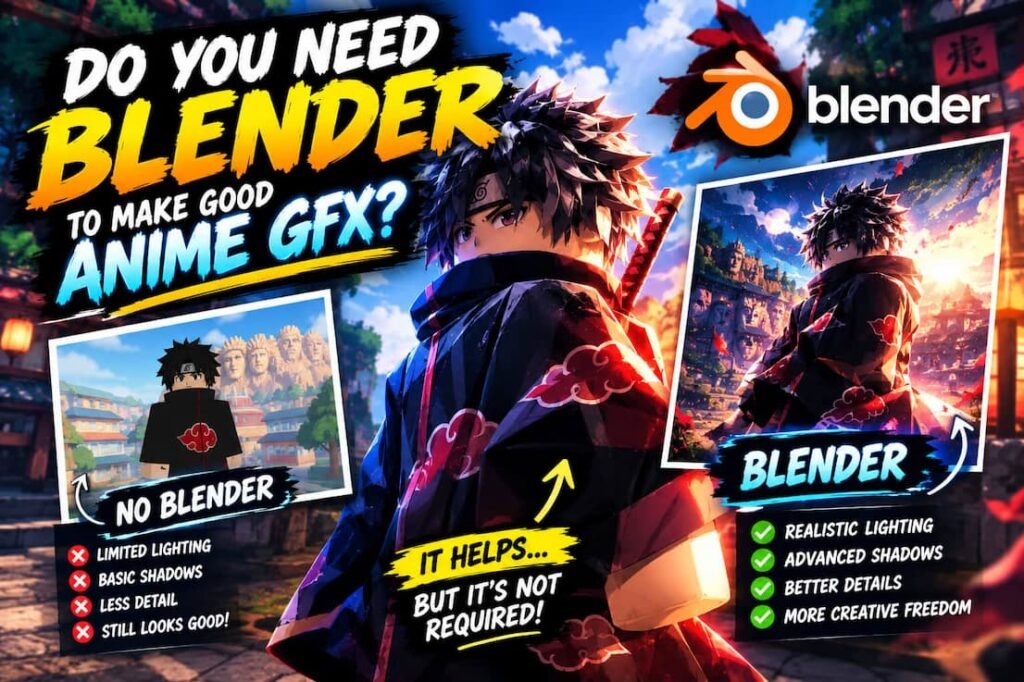
No. Blender is necessary only for advanced effects like custom lighting rigs, motion blur, and complex particle effects. Simpler aesthetic and portrait-style anime GFX can be achieved using Roblox Studio’s native camera and free online photo editors for color grading.
Beginners frequently abandon GFX creation entirely because they assume Blender is mandatory from day one. Starting with Roblox Studio screenshots and basic editing software builds the pose and lighting instincts needed before tackling Blender’s interface.
6. Is Using Anime Art in Your GFX Allowed?
Directly overlaying copyrighted anime artwork or screenshots onto your GFX without permission violates copyright law and can result in takedown requests. Creating an “anime-style” aesthetic through your own posing, lighting, and effects is legally safe and is the method used throughout this guide.
Many beginner creators confuse “anime-inspired style” with literally copying anime studio artwork into their composition. The techniques in this guide replicate the visual language of anime cinematography without using any copyrighted source material directly.
Conclusion
The best Roblox anime GFX in 2026 come from combining a dynamic pose, directional rim lighting, and intentional post-render effects — not from copying images without understanding the technique. Start with Roblox Studio’s native camera if you’re new, then graduate to Blender once you understand posing and lighting fundamentals. Whichever tool you choose, apply the 3-Layer Formula from this guide to turn a flat avatar screenshot into genuine anime-style Roblox GFX.
FAQs
What software do people use to make Roblox GFX?
Blender is the industry-standard software for professional Roblox GFX, offering full control over lighting and camera angles. Beginners often start with Roblox Studio’s built-in camera tools before moving to Blender.
Is Blender good for Roblox GFX?
Yes, Blender is considered the best tool for high-quality Roblox GFX because it allows precise control over pose, lighting rigs, and camera framing that browser-based tools can’t match.
How do you make your Roblox avatar look like anime?
Combine a dynamic pose, directional rim lighting behind the subject, and post-render effects like speed lines or color grading. The avatar model itself doesn’t need to change — the anime look comes from these three layered techniques.
What is GFX in Roblox?
GFX stands for graphics — custom rendered images of Roblox avatars used for game thumbnails, YouTube channel art, or social media profiles, typically created using Blender or in-game camera tools.
Can you make Roblox GFX without Blender?
Yes. Roblox Studio’s native camera mode combined with free photo editing software can produce solid aesthetic and portrait-style GFX without needing Blender’s advanced 3D capabilities.
How do I get a good pose for Roblox GFX?
Avoid stiff, front-facing default poses. Use mid-motion angles, off-axis camera positioning, or action freeze-frames to create the dynamic composition that reads as intentional anime-style design.
How much does a custom Roblox GFX cost?
Commissioned Roblox GFX artists typically charge based on complexity, with simple portrait-style renders costing less than action-heavy compositions with custom effects. Pricing varies significantly by artist experience and turnaround time.