Introduction
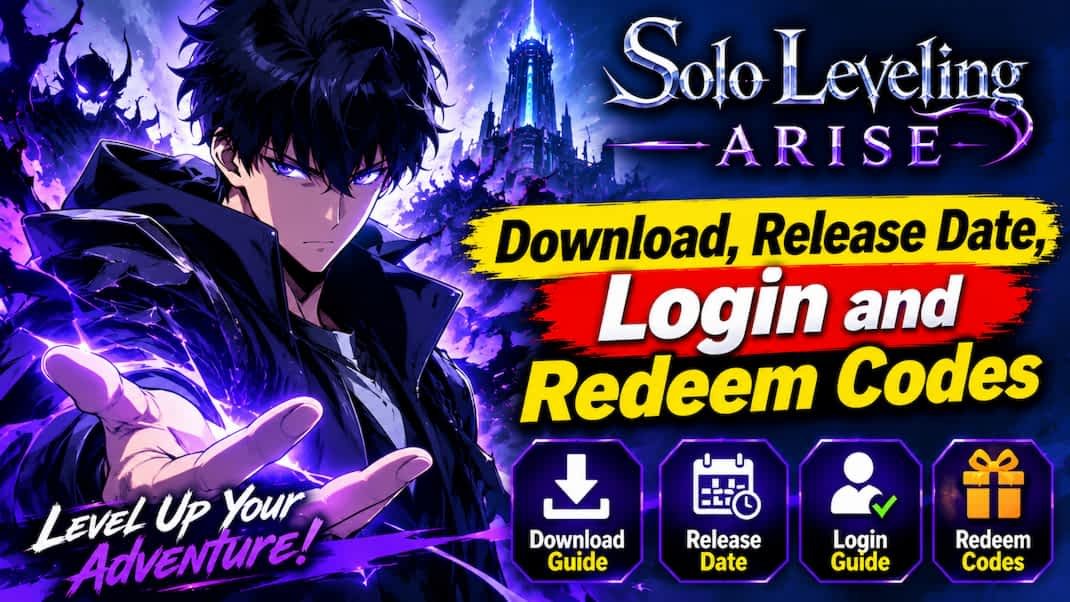
Solo Leveling: Arise is an action RPG published by Netmarble, based on the Solo Leveling story, and it launched globally on May 8, 2024, for Android, iOS, and PC. This YugenAnime game guide helps anime fans find official download routes, login steps, redeem-code methods, and update checks.
Most viewers meet Solo Leveling through the anime from A-1 Pictures, the Japanese animation studio behind the adaptation. Many then search for the game. YugenAnime wrote this page for those fans and for returning players checking platform news.
The game is a live service. Store pages, codes, and patch contents change often, so this guide separates stable facts from details that need a fresh check.
How We Checked This Guide
YugenAnime wrote this Solo Leveling: Arise guide for fans who want safe, accurate access steps, so the method is stated openly.
Selection criteria
- Topics match the supplied search intents: release, download by platform, login, redeem codes, updates, and PS5.
- Stable facts (developer, source material) are stated. Fast-changing facts (codes, patch contents) are routed to official channels.
- Labels such as “best for” are editorial judgment, not fact.
How claims and sources were checked
- This guide relies on three source types: publisher pages, official store listings, and encyclopedia entries on the game and its source material.
What is original
- The verify formula, source map, update-log template, and platform chooser are labelled Original by YugenAnime.
- This guide makes no first-hand play claims.
What Is Solo Leveling:Arise?

YugenAnime’s Solo Leveling:Arise overview is for anime fans deciding whether the game is worth installing. Solo Leveling:Arise is an action RPG developed by Netmarble Neo and published by Netmarble, a South Korean game company.
The story comes from Solo Leveling, created by Chugong, a Korean web novel author. The webtoon version is illustrated by Dubu of Redice Studio. The anime is a separate adaptation by A-1 Pictures.
The game follows Sung Jinwoo, the series protagonist, through dungeons and hunter-world events. Its structure is real-time action combat with collectible characters, and it is described as having gacha-style pulls.
The game and the anime are separate productions. The game is not a re-run of anime episodes. Check the official game page for how far its story goes before assuming it matches your anime progress.
Why the distinction matters for downloads
Several Solo Leveling games and spin-offs exist, and search results mix them. The exact title, developer, and publisher on a store page tell you which game you are installing.
Always match “Solo Leveling:Arise” and “Netmarble” on the listing. Authors should also check whether any newer Solo Leveling titles have launched and note them in the source map.
Worked example: identifying the right listing
- Item: the official Solo Leveling:Arise store listing
- Source: official store page or publisher site
- Best use: avoiding spin-offs and look-alike apps
- Sample usage: open the listing and confirm the title reads “Solo Leveling:Arise” and the publisher reads Netmarble before pressing install
Solo Leveling:Arise Release Date and Platforms
YugenAnime’s release-date section is for Solo Leveling fans and new players confirming when the game launched and where it runs. The global launch date was May 8, 2024, for Android, iOS, and Windows PC.
The launch came a few months after the anime premiered in January 2024. That timing is why many anime viewers found the game soon after the first season.
Regional availability and pre-registration periods varied. This guide does not list regional rollout dates, because those would need a dated source for each country.
Platform status at a glance
The table below is the source map for this page. Status values must be re-verified on the publication date.
| Item | Source | Status | Best for |
|---|---|---|---|
| Android | Google Play listing | Released | Phone players on Android |
| iOS | Apple App Store listing | Released | iPhone and iPad players |
| PC (Windows) | Publisher site or named storefront | Released | Players wanting a larger screen |
| PS5 | Publisher announcement or PlayStation Store | Unconfirmed in this session | Console players |
| Redeem codes | Official game channels and in-game notices | Changes often | Players claiming rewards |
| Updates | Official patch notes | Changes often | Players checking new content |
Worked example: confirming the launch date
- Item: global release date
- Source: publisher announcement or encyclopedia entry
- Best use: settling date disagreements between articles
- Sample usage: quote the date, name the source, and record the day you checked it
Solo Leveling:Arise Game Download: Android
YugenAnime’s Android download steps help Solo Leveling fans with Android phones reach the official listing without risking a fake file. Use the Google Play listing for Solo Leveling: Arise, and confirm the developer name before installing.
The listing itself shows current device compatibility, download size, and permissions. This guide does not state those numbers because they change between updates.
A simple route:
- Open Google Play on your device.
- Search “Solo Leveling:Arise” and open the Netmarble listing.
- Check the device-compatibility notice on the page.
- Install, then open the game and follow the in-game download prompts.
Many mobile games download extra data after the first launch. Expect a second download inside the game, and use Wi-Fi if your plan is limited.
Why avoid third-party APK sites
APK files from unofficial sites can be outdated, modified, or unsafe. They can also put your account at risk if the login screen is not the real one.
If the Google Play listing shows the game as unavailable in your region, treat that as a regional restriction to check with the publisher. Do not treat it as a reason to sideload.
Worked example: Android install
- Item: Android install route
- Source: Google Play listing
- Best use: phone players who want automatic updates
- Sample usage: install from the listing, enable auto-update, then read patch notes when the game prompts an update
Solo Leveling:Arise PC Download
YugenAnime’s PC download section is for Solo Leveling:Arise players who prefer a larger screen and need the official Windows route. The PC version is distributed through an official launcher or storefront named by the publisher.
Because storefront availability can change, the publisher’s own page is the safest starting point. It should name the supported PC route and link to it directly.
Before installing, check the requirements the publisher lists. This guide does not reproduce minimum or recommended specs, since they can change after updates.
A safe PC route:
- Start from the official Solo Leveling: Arise page, not a search ad.
- Follow the link it provides to the launcher or storefront.
- Confirm the publisher name before downloading.
- Log in with your game account once the client opens.
PC versus mobile: what to verify
Players often ask whether PC and mobile share progress. Cross-platform account progress is commonly supported by Netmarble titles, but this must be confirmed for this game on the official FAQ or support page.
Controller support and graphics settings also vary by version. Check the game’s settings menu and official notes rather than relying on forum posts.
Worked example: PC install
- Item: PC install route
- Source: official game page and its linked launcher
- Best use: players who want a keyboard or controller setup
- Sample usage: start at the official page, install via the linked client, then log in with the same account used on mobile if progress sharing is supported
Solo Leveling:Arise PS5 Status
YugenAnime’s PS5 status check is for console players who want to know whether Solo Leveling:Arise runs on PlayStation 5. This guide could not confirm a PS5 version of Solo Leveling:Arise in this session, so the status is unconfirmed.
Search results often mix up separate games, announcements, and rumours. A trailer or news post about a Solo Leveling console game does not automatically mean Arise itself is on PS5.
To confirm a PS5 release:
- Check the PlayStation Store listing and look for the exact title.
- Check the publisher’s official announcements.
- Confirm the developer and publisher names on the listing.
Authors should check whether Netmarble has announced any console Solo Leveling title, and whether it is Arise or a separate game. Update this section with a dated source if so.
Worked example: avoiding a wrong console assumption
- Item: PS5 availability claim
- Source: PlayStation Store listing or publisher announcement
- Best use: stopping rumours from becoming facts
- Sample usage: check the PlayStation Store listing, note the date you checked, and write whether it lists Solo Leveling:Arise, naming the source
Solo Leveling:Arise Login
YugenAnime’s login section helps Solo Leveling:Arise players, new or returning, understand how account sign-in works. The game uses a publisher account system, and the available login methods can vary by platform and version.
Common sign-in options in mobile games include a publisher account and linked platform accounts. Confirm which ones this game currently offers on the login screen, and do not assume others.
Linking an account early can help recover progress if you change devices. Check the official support page for what linking covers and how recovery works.
Login problems and the safe order of fixes
When login fails, work from the simplest cause to the hardest:
- Check the game’s server status notice on official channels.
- Update the game to the current version.
- Confirm you are using the same login method you originally chose.
- Restart the device and try again.
- Contact official support with your account details.
Never enter your login on a site you reached through a code or reward link. Real login happens inside the game or on the publisher’s own domain.
Worked example: returning to an old account
- Item: returning-player login
- Source: official FAQ or support page
- Best use: players who changed phones or reinstalled
- Sample usage: install from the official listing, choose the same login method used before, and contact support if your progress does not appear
Solo Leveling Arise Redeem Code Guide

YugenAnime’s redeem-code section is for Solo Leveling: Arise players who want rewards without falling for fake code sites. This page does not list codes because codes expire, and a stale list sends players to dead entries.
Redeem codes in mobile games usually come from official channels such as the game’s social accounts, announcements, and events. Check the publisher’s pages for the current source.
The in-game redeem option is typically found in the settings or account menu. The exact path varies by version, so confirm it in your own client.
How to redeem safely
- Copy codes only from official posts or in-game notices.
- Enter the code exactly, watching for letter case and spacing.
- Redeem it inside the game, never on a website.
- Check the stated expiry and any per-account limit.
- Collect rewards from the in-game mailbox or inventory if directed.
Codes often have limited windows. If a code fails, the likeliest causes are expiry, a typo, or a limit already reached.
Why generators are a trap
Sites claiming to generate free codes or currency are not official. The publisher issues codes, and no third-party tool can create valid ones.
Many of these sites ask for login details or downloads. Treat that as a warning sign and leave.
Worked example: a code fails
- Item: a redeem code that returns an error
- Source: the official post that listed it and its expiry
- Best use: diagnosing failures quickly
- Sample usage: reread the post for the expiry date, retype the code carefully, and stop if the post is older than the window
Template: Redeem Code Log (Original by YugenAnime)
Use this table in your own notes, not as published code data.
| Code (copied exactly) | Official source | Date posted | Expiry stated | Redeemed? |
|---|
Solo Leveling: Arise Update: How to Check What Changed
YugenAnime’s update section is for Solo Leveling: Arise players checking whether a new patch or event has arrived. This guide makes no claims about any 2026 update, because none could be verified in this session.
Official patch notes are the only reliable source for update contents. They normally appear in the game’s announcement section, on the publisher’s channels, and in the store listing’s “what’s new” field.
Update posts on other sites often summarise rumours. Treat them as leads to verify, never as proof.
How to read patch notes
- Note the version number and the post date.
- Separate new content from bug fixes and balance changes.
- Check whether the update needs a client download or only a server change.
- Check platform labels, since some changes may differ between mobile and PC.
Why this page avoids the year
YugenAnime does not put a year in the title because a year label goes stale without being re-verified. When an author confirms a specific update, add the date and source in the log below.
Template: Update Log (Original by YugenAnime)
| Version | Date | Source | Main changes | Platforms |
|---|
Fill each row only from an official note, and add the date you checked.
Worked example: logging an update
- Item: one patch entry
- Source: official patch notes
- Best use: keeping the page fresh without guessing
- Sample usage: add one row with the version, post date, and a one-line summary taken from the notes
The Verify Formula and Platform Chooser (Original by YugenAnime)
YugenAnime’s verify formula helps Solo Leveling: Arise players decide whether any claim about codes, updates, or platforms is safe to act on.
Formula: Safe to act = Official source + Visible date + Matches your platform.
If any one of the three is missing, treat the claim as unconfirmed.
Platform chooser
| If you want | Choose | Why |
|---|---|---|
| Play anywhere, short sessions | Android or iOS | Phone is always with you |
| Bigger screen, keyboard or controller | PC | Larger display; confirm controller support |
| Console couch play | Wait for confirmation | No verified PS5 release in this session |
| One account across devices | Check the official FAQ | Progress sharing needs confirmation |
Safe-download checklist
- The listing title reads “Solo Leveling: Arise.”
- The publisher name matches the official one.
- The link came from the official page or store, not an ad.
- The login screen opens inside the game or on the publisher’s domain.
- No site asks for a password in exchange for codes or currency.
Mistakes to Avoid
- Downloading from APK or mirror sites. Files can be altered, so use the official store listing.
- Trusting old code lists. Codes expire, so copy only from an official, dated post.
- Using code or currency generators. Only the publisher issues valid codes.
- Assuming PS5 support from a news headline. Confirm the exact title on the PlayStation Store.
- Mixing up Solo Leveling games. Check the developer and publisher on each listing.
- Believing a year-labelled update post. Confirm it in the official patch notes.
- Entering login details outside the game. Sign in only inside the game or on the publisher’s domain.
- Assuming progress carries across platforms. Check the official FAQ before switching devices.
- Skipping the in-game data download. The first launch may need extra data, so check storage and Wi-Fi.
FAQs
Do Solo Leveling: Arise redeem code generators work?
No. Valid codes come from the publisher, not from generator sites. Many generators ask for login details or downloads, which is a safety risk. Use only codes from official posts or in-game notices.
Should I play Solo Leveling:Arise on Android or PC?
Android suits short sessions on a phone, while PC suits players who want a larger screen and keyboard or controller. Both routes should start from the official page. Check device and performance details on the official listing.
Can I use the same login on mobile and PC?
It may be possible, because many publisher accounts work across platforms, but this needs confirmation for this game. Check the official FAQ or support page before relying on shared progress.
Do I need to watch the Solo Leveling anime before playing?
No, the game can be played without watching the anime. The anime and the game are separate productions, so check the game’s story notes on the official page. Anime viewers may still enjoy recognising the characters and setting. This answer reflects a commonly asked fan question, not a named community thread.
Is Solo Leveling:Arise free to play?
The game is generally described as free to download with optional in-game purchases, but confirm this on the store listing. Store pages show current pricing and purchase details. This guide does not cite prices.
Is Solo Leveling:Arise the same as other Solo Leveling games?
No. Other Solo Leveling games and spin-offs exist, and they have different developers or publishers. Match the title and publisher name on the listing before installing.
Why does my redeem code say it has expired?
The code’s window has probably passed, or its use limit was reached. Reread the official post for the stated expiry, and retype the code carefully. If the post is old, look for a newer announcement.